Dialogues
Description: Build conversations from nodes and branches, then run them in your game.
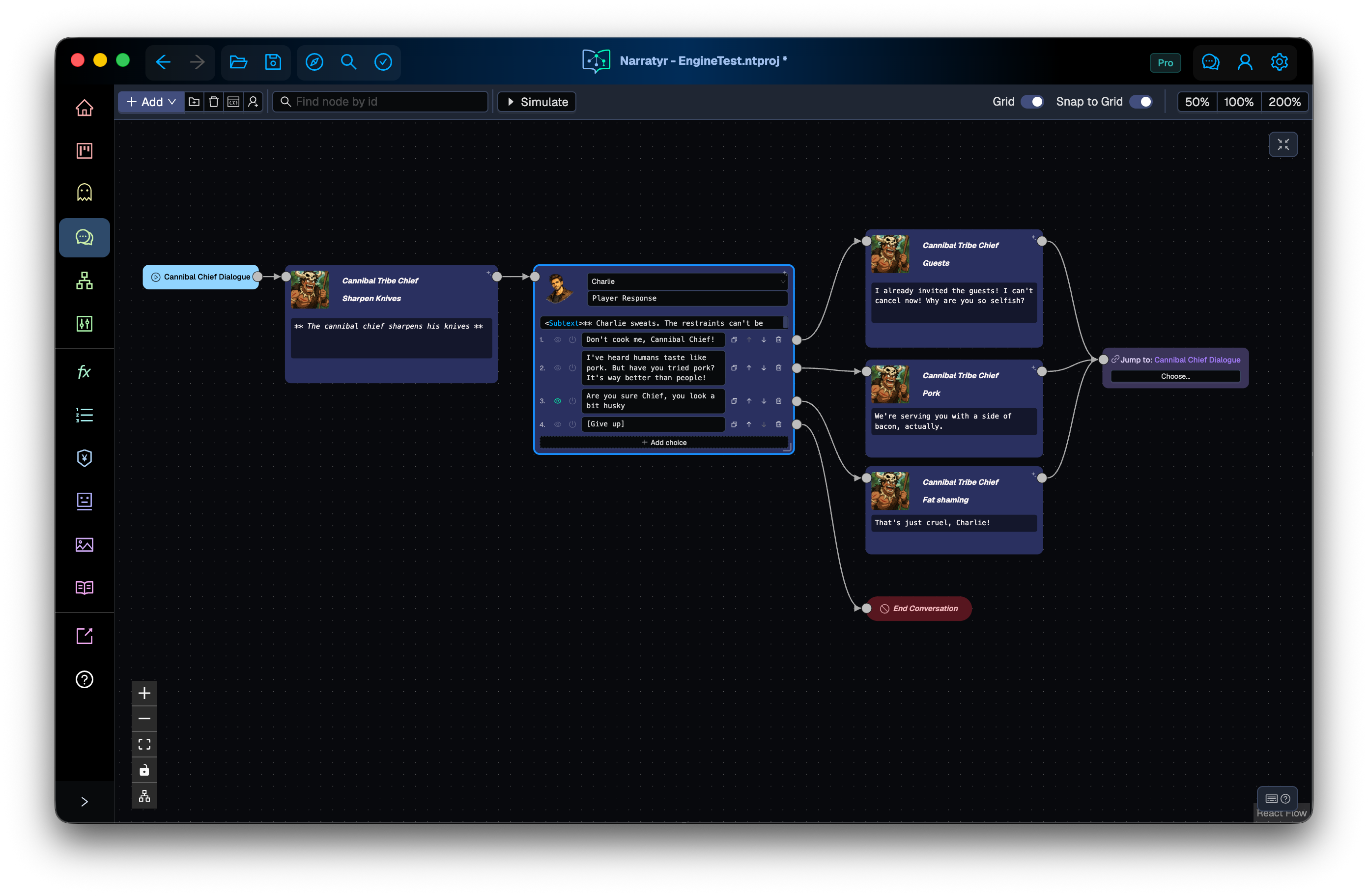
A dialogue represents a conversation as a graph. Nodes contain spoken lines, player choices, or state checks. Connections determine which node runs next. The runtime follows connections until it reaches an ending.
Narratyr creates one Dialogue Entry node with each dialogue graph. You can't delete this node. Standalone playback begins there, while a quest can start the dialogue at another node.
Connect each path to an End Conversation node to prevent a stalled dialogue.
Node types
- Dialogue Node: stores a speaker and their text. Add player replies directly to this node when they follow a spoken line.
- Choice Node: offers player options without speaker text. Use it for decisions outside a spoken exchange.
- Jump Node: redirects the flow to another node in the same graph. It can create loops or join branches without long connections across the canvas.
- Hub Node: evaluates conditions on its outputs and follows a matching connection without asking the player to choose.
- Gate: pauses the conversation until its condition becomes true, then resumes the flow.
- Instruction Node: performs an action such as changing a variable or advancing a quest. It can also send an event to your game.
- End Conversation: ends the dialogue. A graph needs at least one ending and can contain separate nodes for different endings.
- Comment: adds an editor note without affecting runtime behavior.
React to game state
Dialogue text and choice labels can insert variable values or select different wording based on game state. Text directives describes the syntax.
Start a dialogue
Game code can start a dialogue graph directly. A character interaction can call the dialogue runtime.
A quest graph can also start a conversation through a Start Dialogue node. The node can use the dialogue entry or a specific node within the dialogue. Starting at a specific node lets a quest resume a conversation after its greeting. Quests explains this connection.
Updating quest objectives
Insert Update Objective from the canvas menu or press U. Select a Quest, then an Objective, and choose which fields to change. The default status is Completed; Leave unchanged preserves an existing field. Changing Quest clears Objective so you can select a task belonging to the new quest.
For example, connect the player's "Here is the relic" response to an Update
Objective node that completes Recover the Relic: Return the relic, then connect
it to the NPC's reply. The update happens immediately and the conversation continues.
The selected quest is used even if another quest started this conversation.
The editor simulator follows the node but does not yet model objective state; verify the quest-state change in your exported game.
Debug a dialogue
The simulator runs a conversation one node at a time. It shows the selected path, variable values used by conditions, and reasons that other branches didn't run.
Next
Quests covers quest graphs. Variables and conditions explains the state shared by dialogues and quests.