Build a multi-objective quest
Description: Run several objectives together and branch to different quest endings.
This tutorial continues Build a quest. It creates three objectives that the player can finish in any order. An accusation dialogue then selects a successful or failed ending.
Detective Rowan Hale investigates a death at Blackthorn Manor. The player must inspect the crime scene and recover a ledger. Questioning a witness provides the final lead before an accusation.
Tutorial project. Download the project to
follow these steps. The archive also contains create_multi_objective_quest_final with the
completed result.
The completed quest uses this flow:
Main flow
Quest
  -> Start Dialogue: At the Crime Scene
  -> Inspect the scene
  -> Recover the missing ledger
  -> Question the witness
  -> Gate: all three are complete
  -> Start Dialogue: Make an accusation
  -> Hub: who was accused?
       -> either suspect -> Complete Quest (Success)
       -> witness -> reprimand dialogue -> Complete Quest (Failure)

Parallel listener bodies
InspectedScene flag    -> Update "Inspect the scene"           -> Return
RecoveredLedger flag  -> Update "Recover the missing ledger"  -> Return
QuestionedWitness flag -> Update "Question the witness"        -> Return
Create the characters
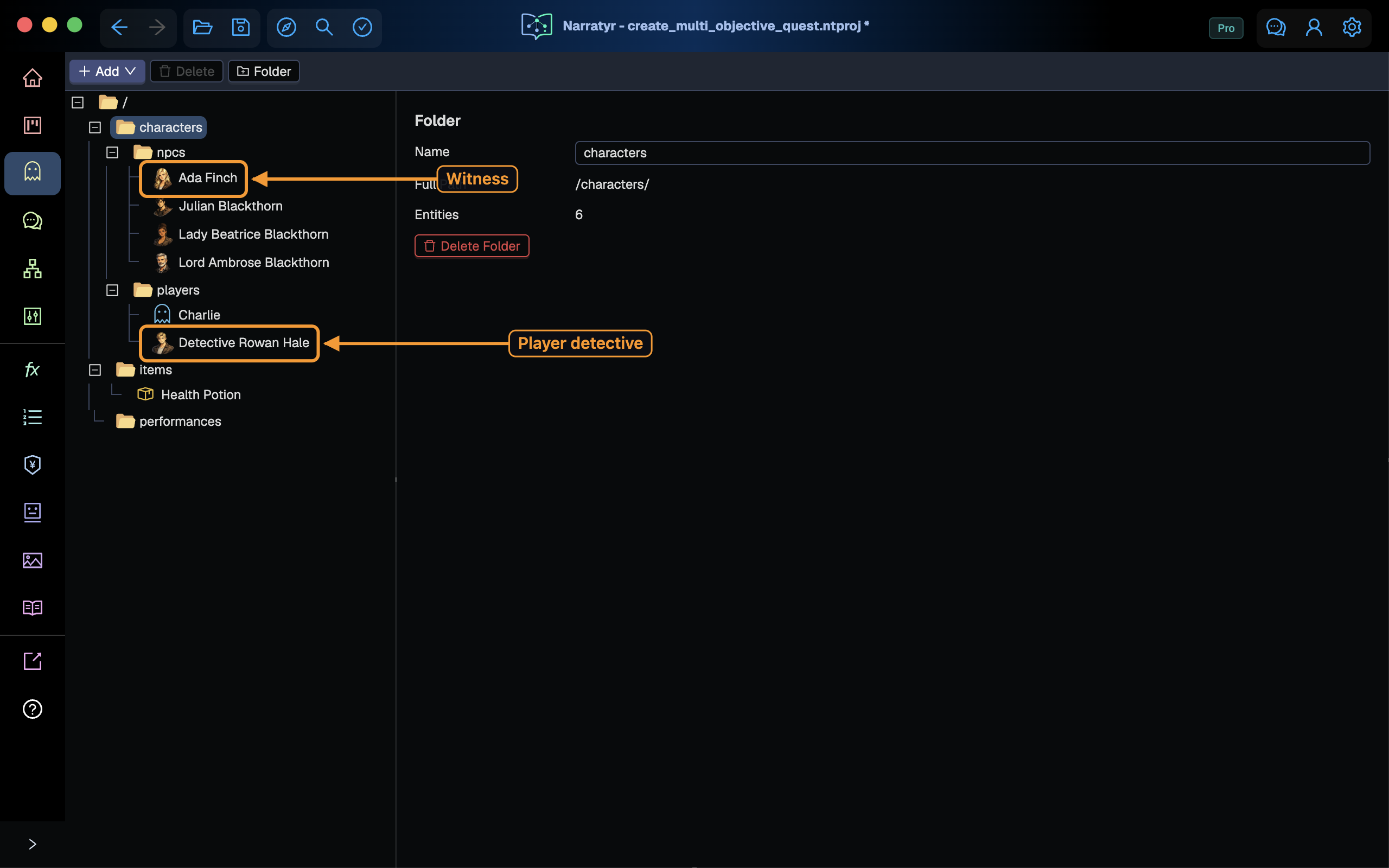
Create five Character entities. Add a character explains the complete process. Enter these names, IDs, roles, and stock portraits:
| Character | External ID | Role | Stock portrait |
|---|---|---|---|
| Detective Rowan Hale | DetectiveRowanHale |
Player character with Role set to Protagonist |
male-5.png |
| Lord Ambrose Blackthorn | LordAmbroseBlackthorn |
Victim | male-2.png |
| Ada Finch | AdaFinch |
Witness | female-2.png |
| Lady Beatrice Blackthorn | LadyBeatriceBlackthorn |
Suspect | female-6.png |
| Julian Blackthorn | JulianBlackthorn |
Suspect | male-7.png |
The victim doesn't speak in this tutorial, but a character entity makes later expansion easier. The other characters act as dialogue speakers.
The portrait instructions explain how to import several stock images together. Assign the portraits from the table.
Create the quest and variables
In Quests & Dialogues, add a Quest named BlackthornMurder. Set its title to Murder at
Blackthorn Manor and add a short description.
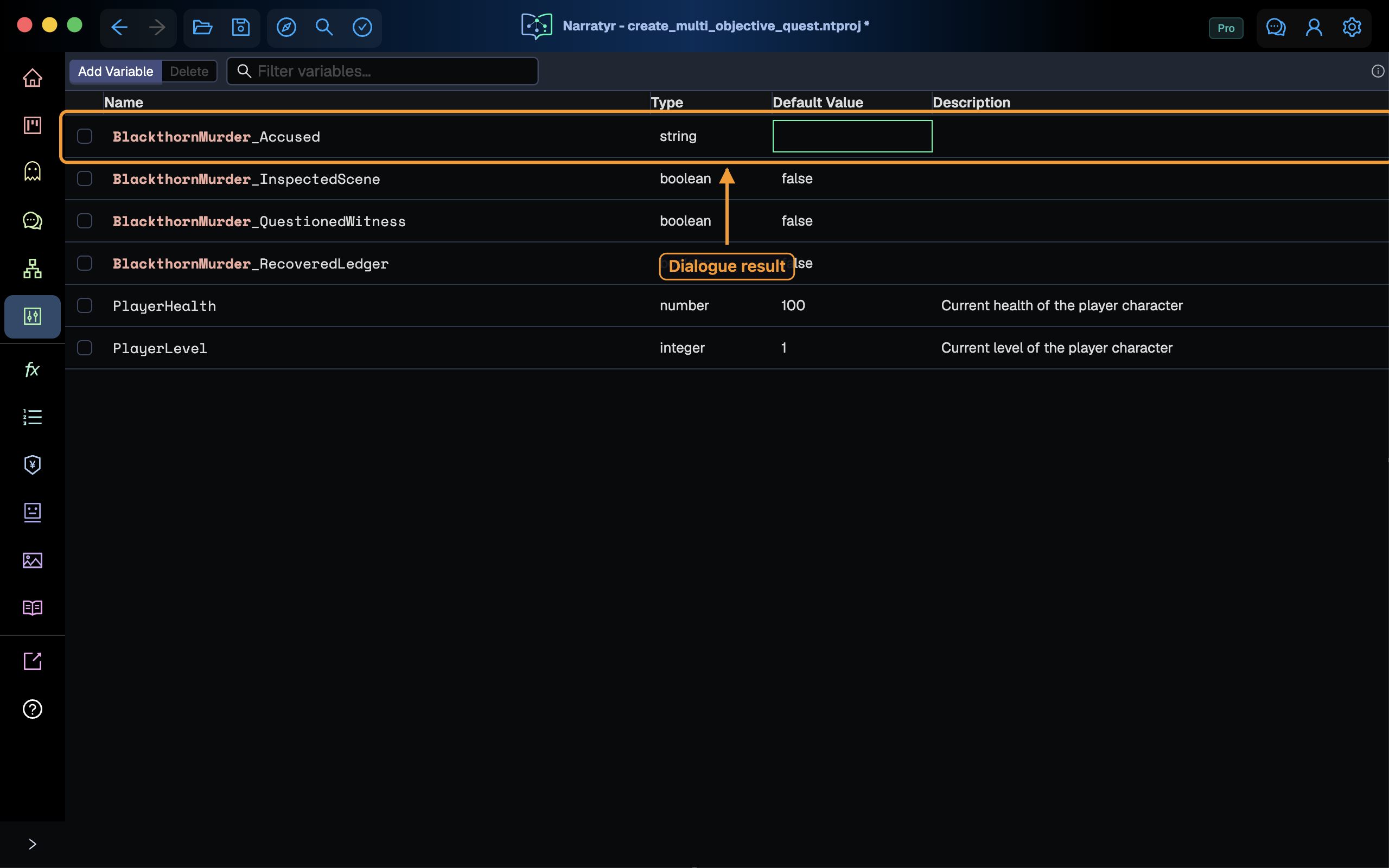
Create four variables in the Variables view. Your game changes the first three when the player completes the related activity.
| Name | Type | Default | Changed when |
|---|---|---|---|
BlackthornMurder_InspectedScene |
boolean |
false |
The player inspects the study |
BlackthornMurder_RecoveredLedger |
boolean |
false |
The player recovers the ledger |
BlackthornMurder_QuestionedWitness |
boolean |
false |
The player finishes questioning Ada |
BlackthornMurder_Accused |
string |
empty | The accusation dialogue records the choice |
Game code writes the progress flags. The accusation dialogue writes
BlackthornMurder_Accused, which the quest reads after the dialogue ends.
Add the opening dialogue
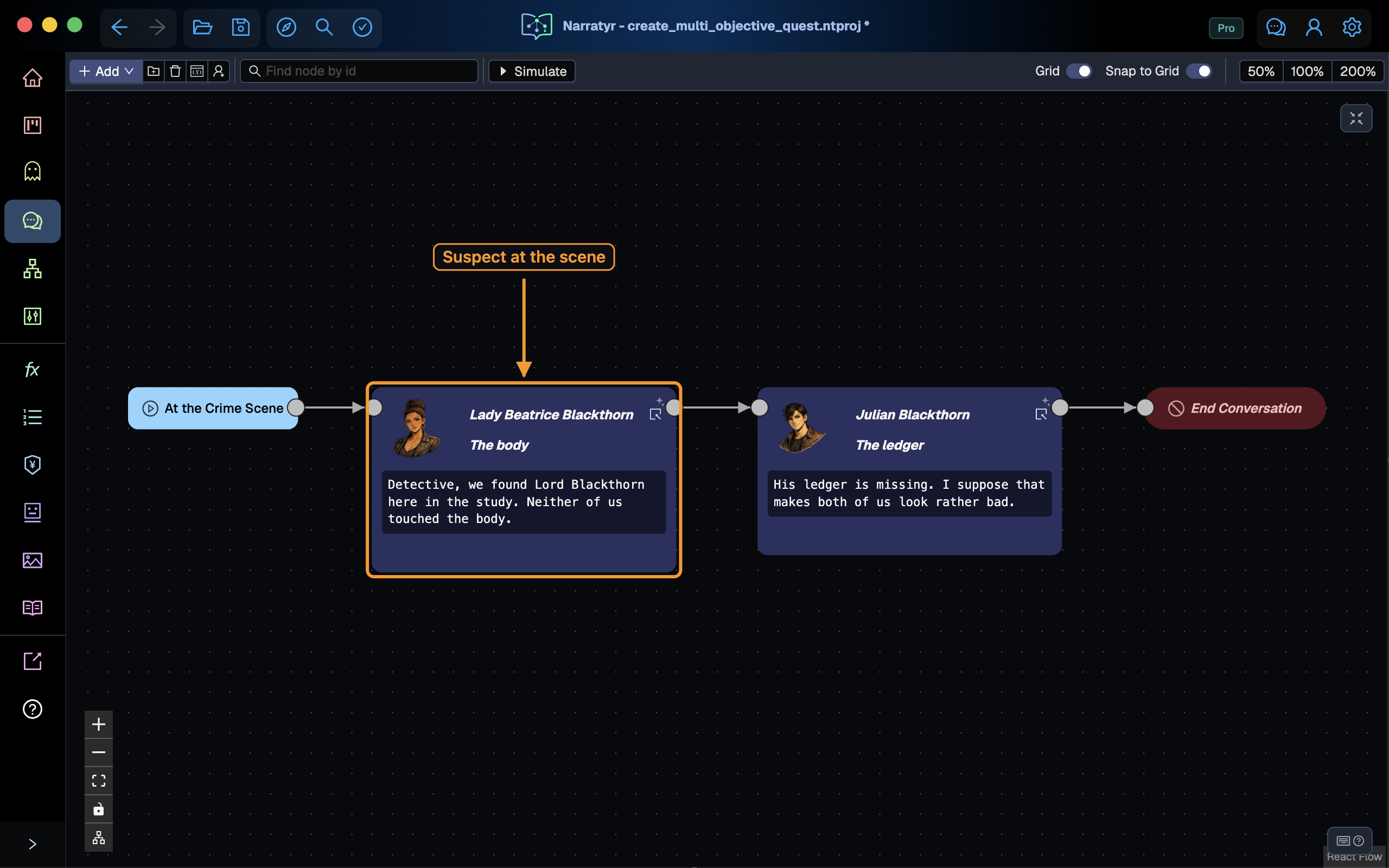
Create a Dialogue named BlackthornCrimeScene with the title At the Crime Scene. Add
these lines for Lady Beatrice and Julian:
Lady Beatrice
Lord Blackthorn lies here in the study. The room remains untouched.
Julian
His ledger is missing. Both heirs now look suspicious.
End the conversation after Julian's line. Return to BlackthornMurder, add a Start Dialogue
after the Quest Node, and select the entry of BlackthornCrimeScene. The quest resumes after
the conversation ends.
Introduce the objectives
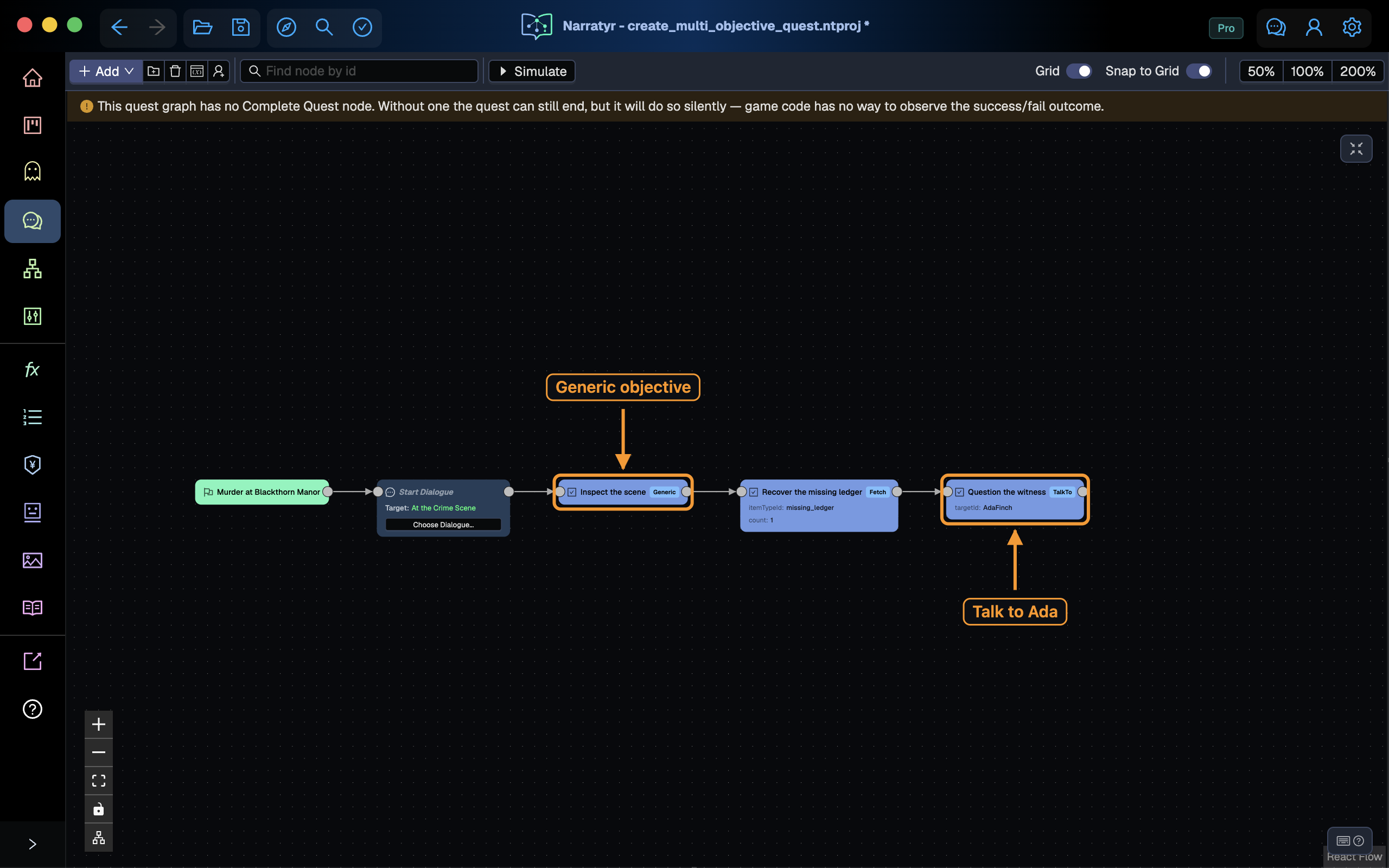
After the opening Start Dialogue node, add three Objective nodes in sequence. Each node introduces its task and immediately continues, so all tasks appear before the quest waits.
Configure the objectives with these values:
| Name | Objective Type | Fields |
|---|---|---|
| Inspect the scene | Generic |
No additional fields |
| Recover the missing ledger | Fetch |
Set itemTypeId to missing_ledger and count to 1 |
| Question the witness | TalkTo |
Set targetId to AdaFinch |
Leave Optional and Hidden off. Objective Type tells your game which behavior to monitor.
Narratyr doesn't perform the activity. Use Generic for an activity without a matching Fetch,
Kill, or TalkTo type.
Wait for all progress
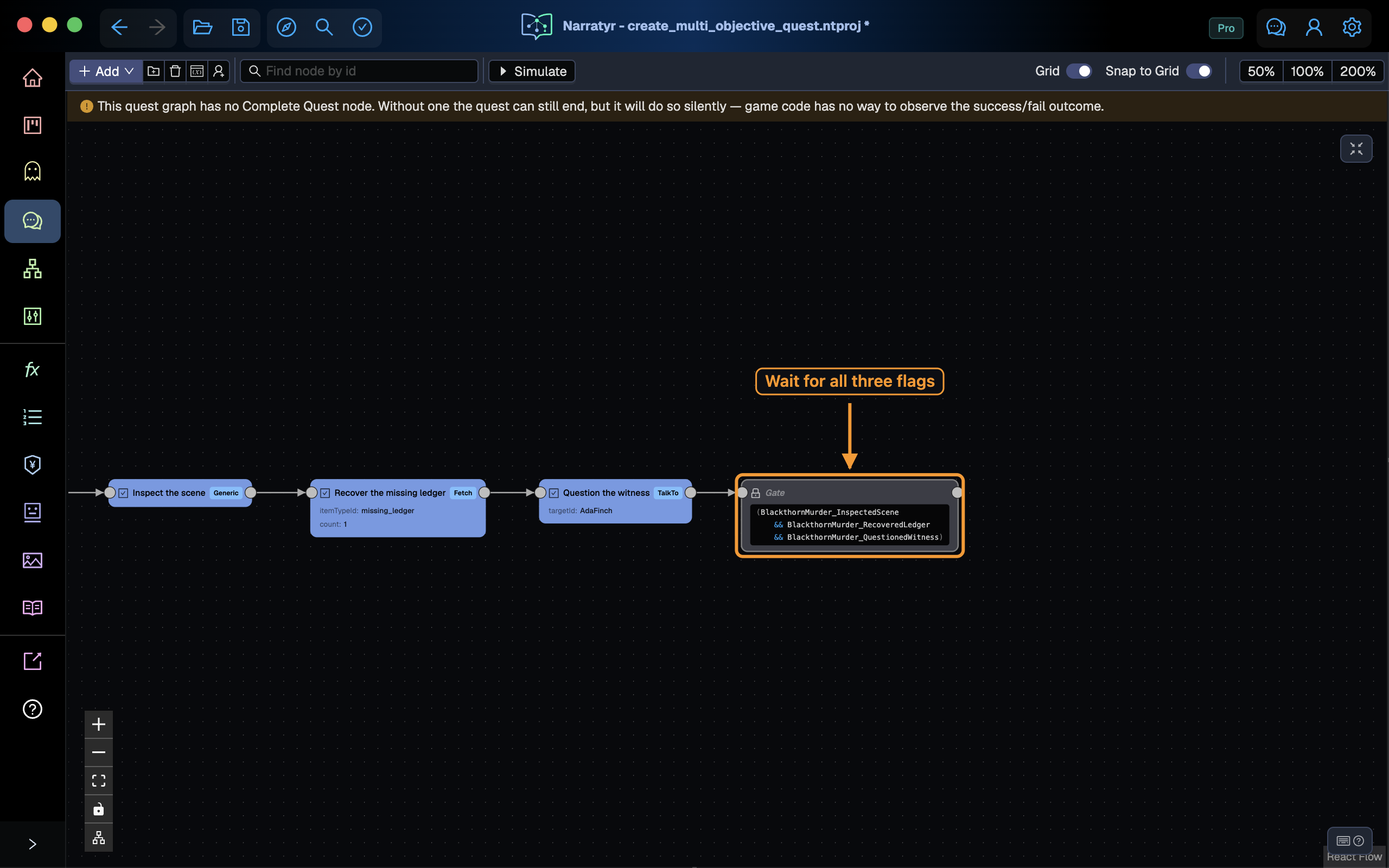
Add a Gate after the third Objective and select Wait on Expression. Enter this condition:
(
  BlackthornMurder_InspectedScene
  && BlackthornMurder_RecoveredLedger
  && BlackthornMurder_QuestionedWitness
)
The Gate resumes only after all three values become true. The game can update them in any order. Introducing objectives in sequence doesn't require the player to complete them in sequence.
For a condition with several clauses, wrap the expression in parentheses and place each &&
or || clause on another line. This formatting keeps the Gate narrow and shows the grouping.
Update objectives from listeners
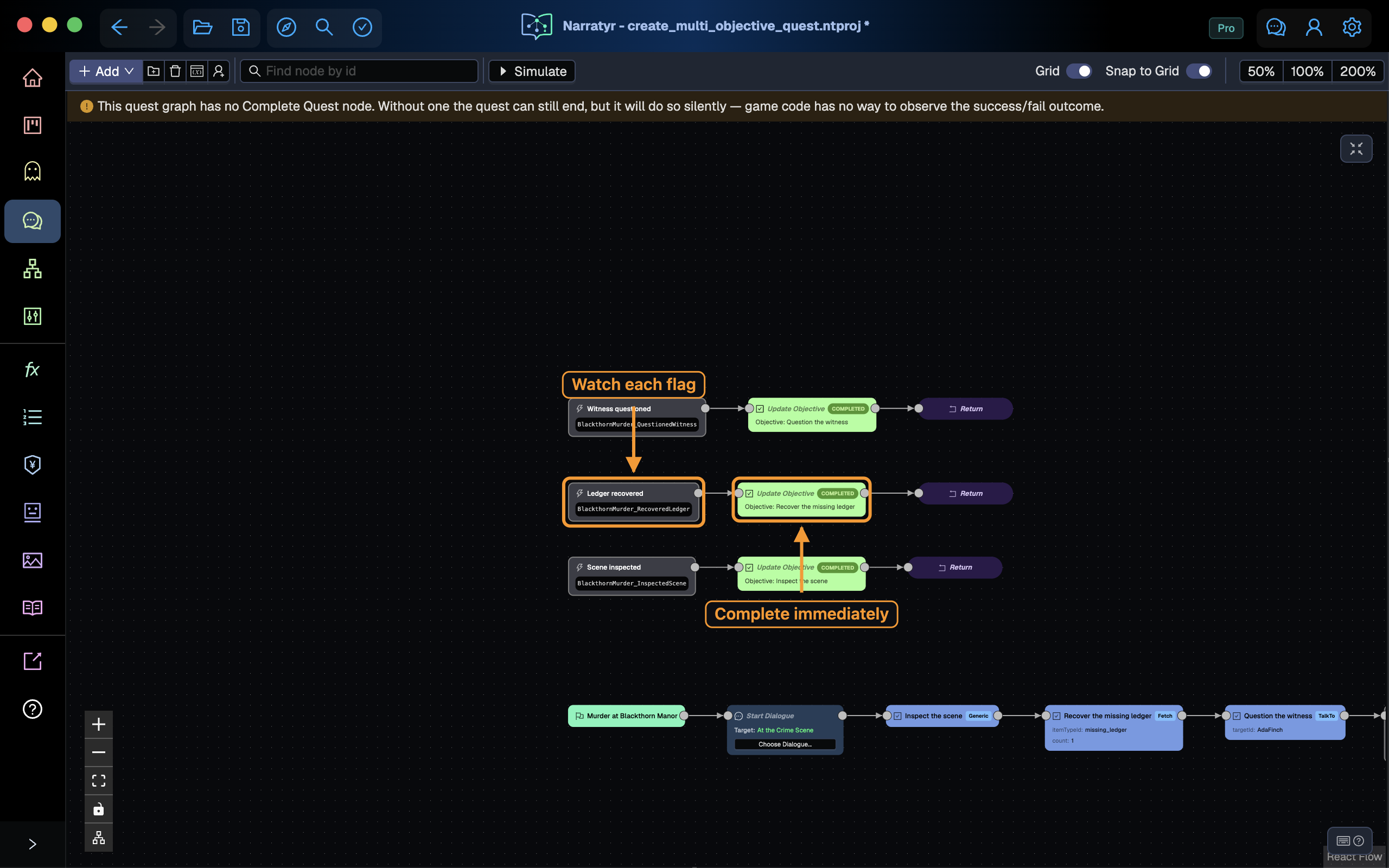
The Gate controls the main flow, but each objective should update as soon as its activity finishes. Add three Event Listener nodes away from the main path.
| Listener condition | Update Objective target |
|---|---|
BlackthornMurder_InspectedScene |
Inspect the scene |
BlackthornMurder_RecoveredLedger |
Recover the missing ledger |
BlackthornMurder_QuestionedWitness |
Question the witness |
Connect each Event Listener to an Update Objective node. Select the matching objective and leave Completion Status set to Completed. Add a Return after each update.
Leave Async off because these short branches don't pause. Return resumes the flow that was
active when the value changed.
An Event Listener runs when its condition changes from false to true. The matching objective completes immediately, while the main flow can remain at the Gate. Each listener runs independently, so the player can finish the tasks in any order.
The 006 Parallel Multi-Objective Any Order Quest graph in EngineTest.ntproj uses the same
pattern. Listeners update individual objectives, and one Gate checks overall progress.
Create the accusation dialogue
Add a Dialogue named BlackthornAccusation. Set Rowan Hale as the speaker and enter this
opening line:
One of you killed Lord Blackthorn.
Add another Dialogue Node with Rowan as its speaker. Leave the line empty and add these choices:
Accuse Lady Beatrice.Accuse Julian.Accuse Ada, the witness.
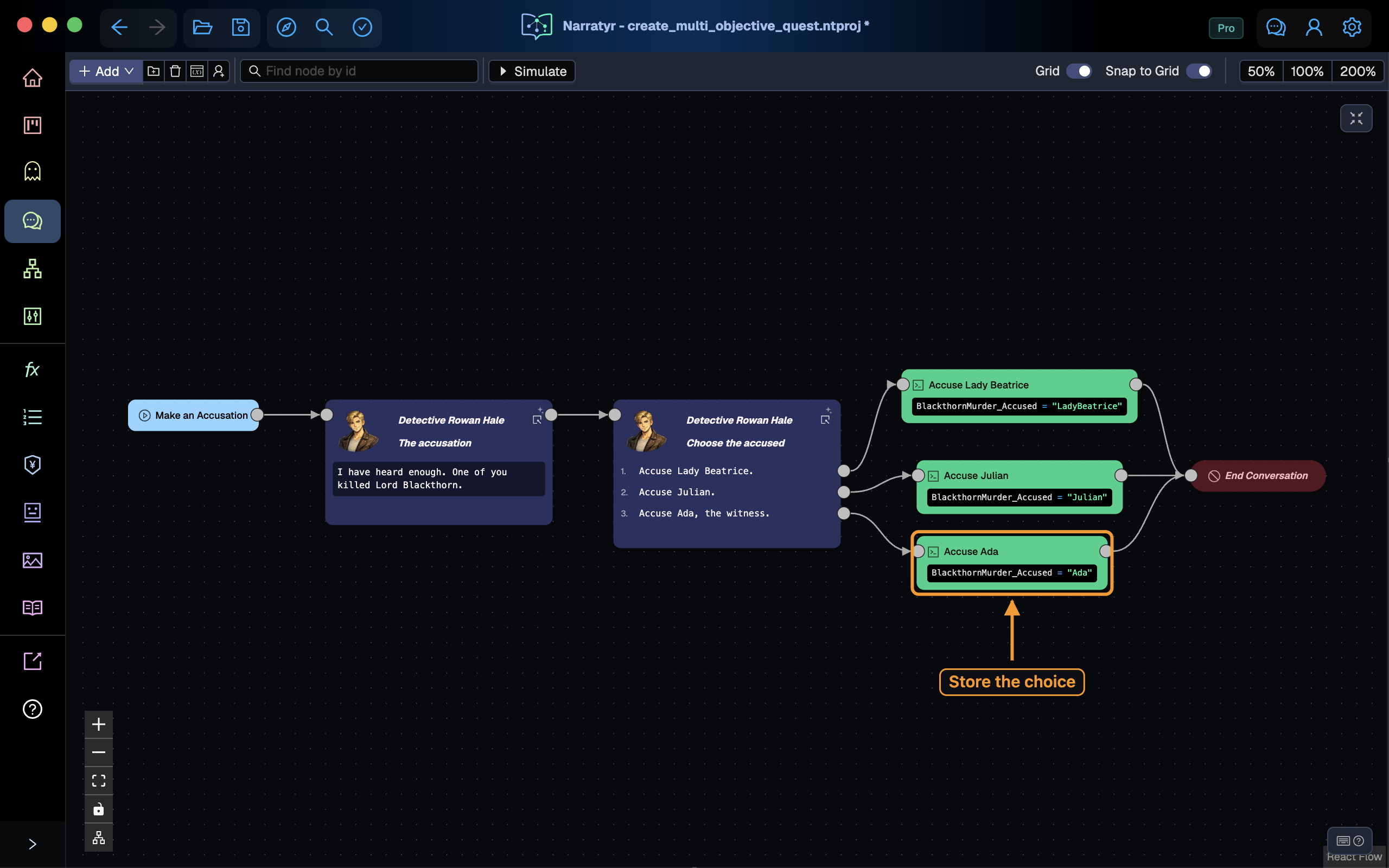
The choices belong to the node for Rowan because the player selects the detective's words. Connect each choice to an Instruction node and then to an End Conversation node. Name each Instruction after its choice and assign the matching value:
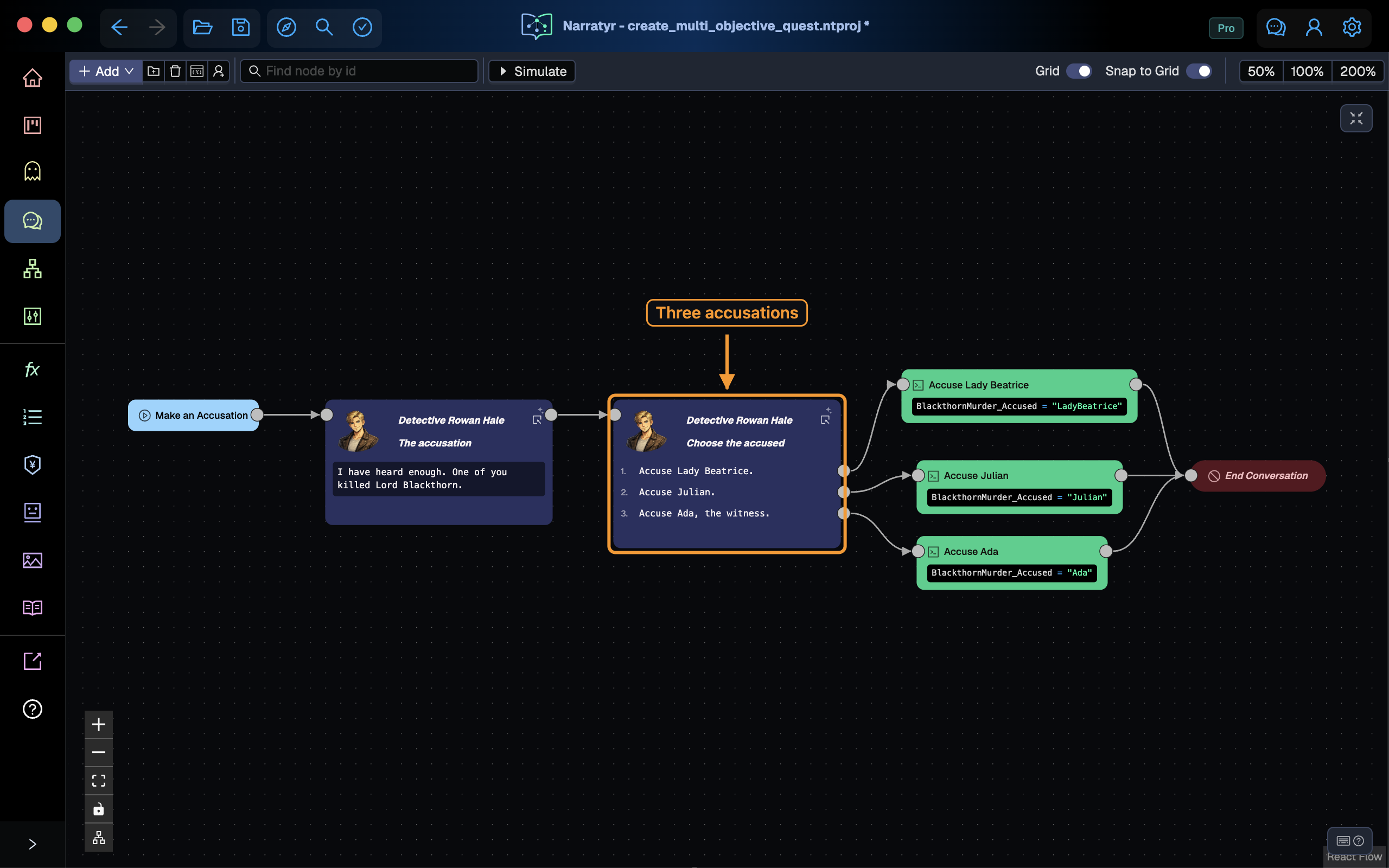
BlackthornMurder_Accused = "LadyBeatrice"BlackthornMurder_Accused = "Julian"BlackthornMurder_Accused = "Ada"The Instruction nodes can share one End Conversation node. When the dialogue ends, the quest resumes after its Start Dialogue node.
Branch on the accusation
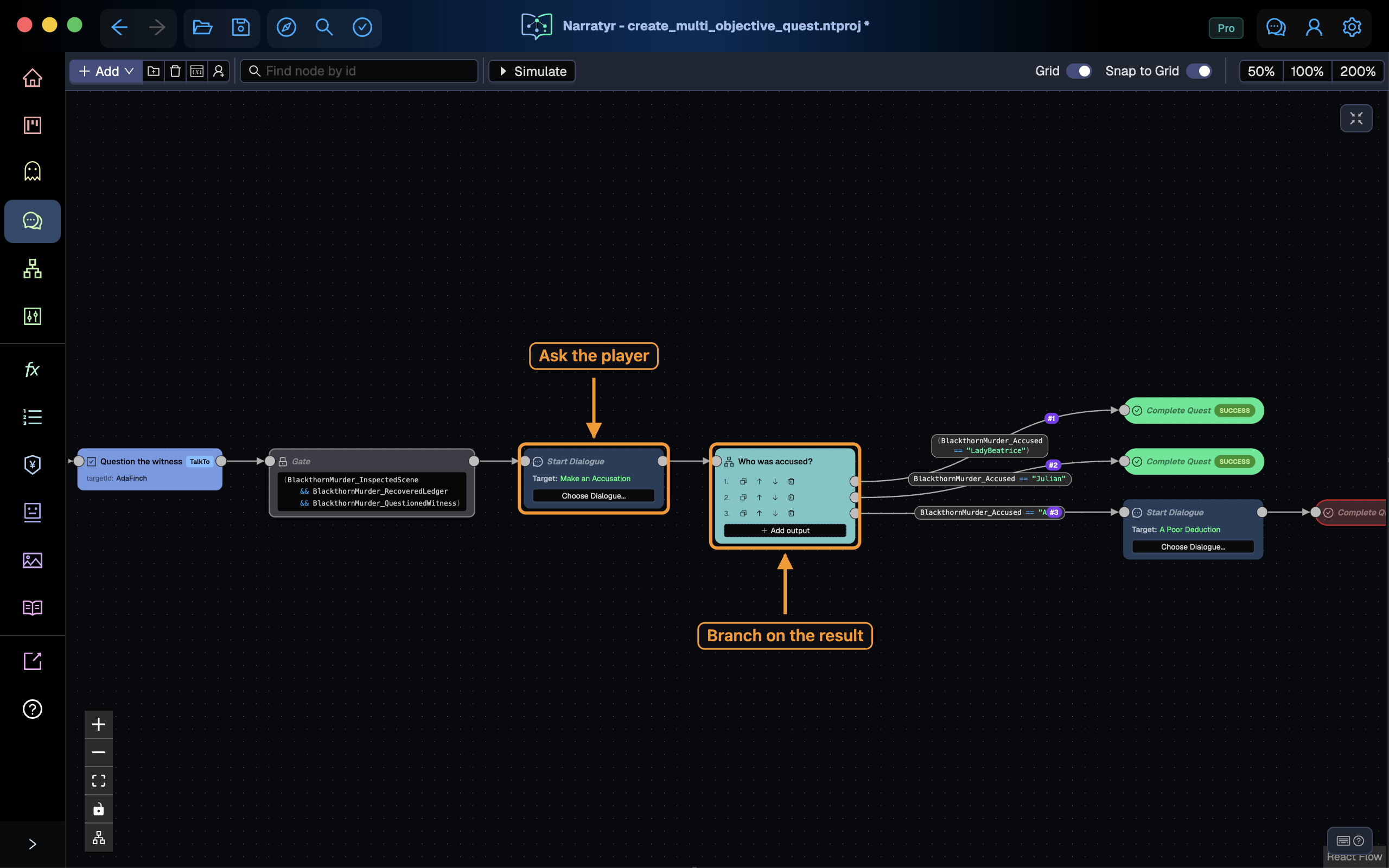
Return to BlackthornMurder. Add Start Dialogue after the Gate and select the entry of
BlackthornAccusation. The quest pauses while the dialogue runs and continues after the player
selects an accusation.
Add a Hub Node after Start Dialogue. Create three outputs with these conditions:
BlackthornMurder_Accused == "LadyBeatrice"BlackthornMurder_Accused == "Julian"BlackthornMurder_Accused == "Ada"The Hub immediately follows the output with a true condition. The Gate waited for progress, while the Hub selects from an existing result.
Add the endings
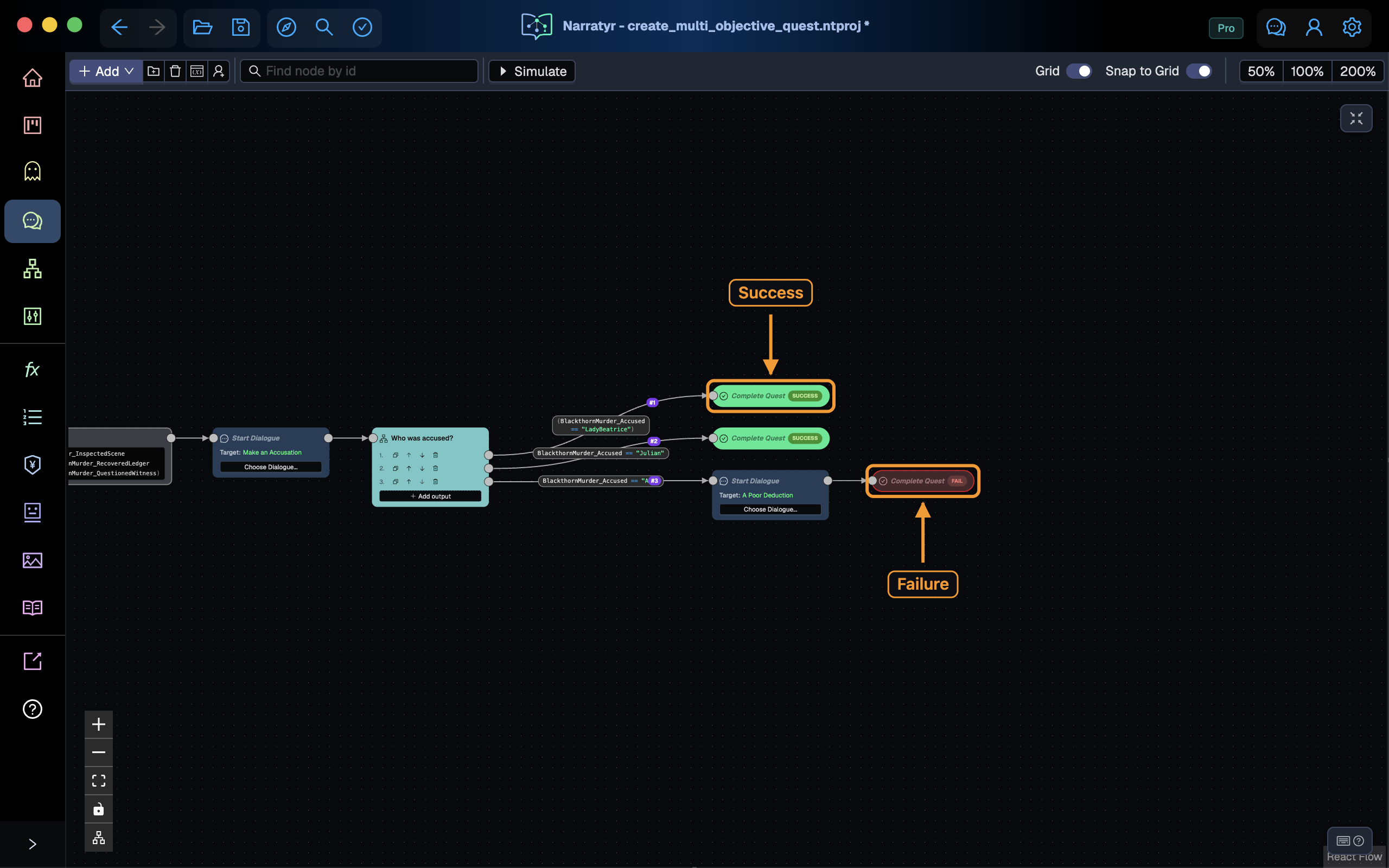
Connect the Lady Beatrice and Julian outputs to Complete Quest nodes with Success status. Either suspect produces a successful result for this tutorial.
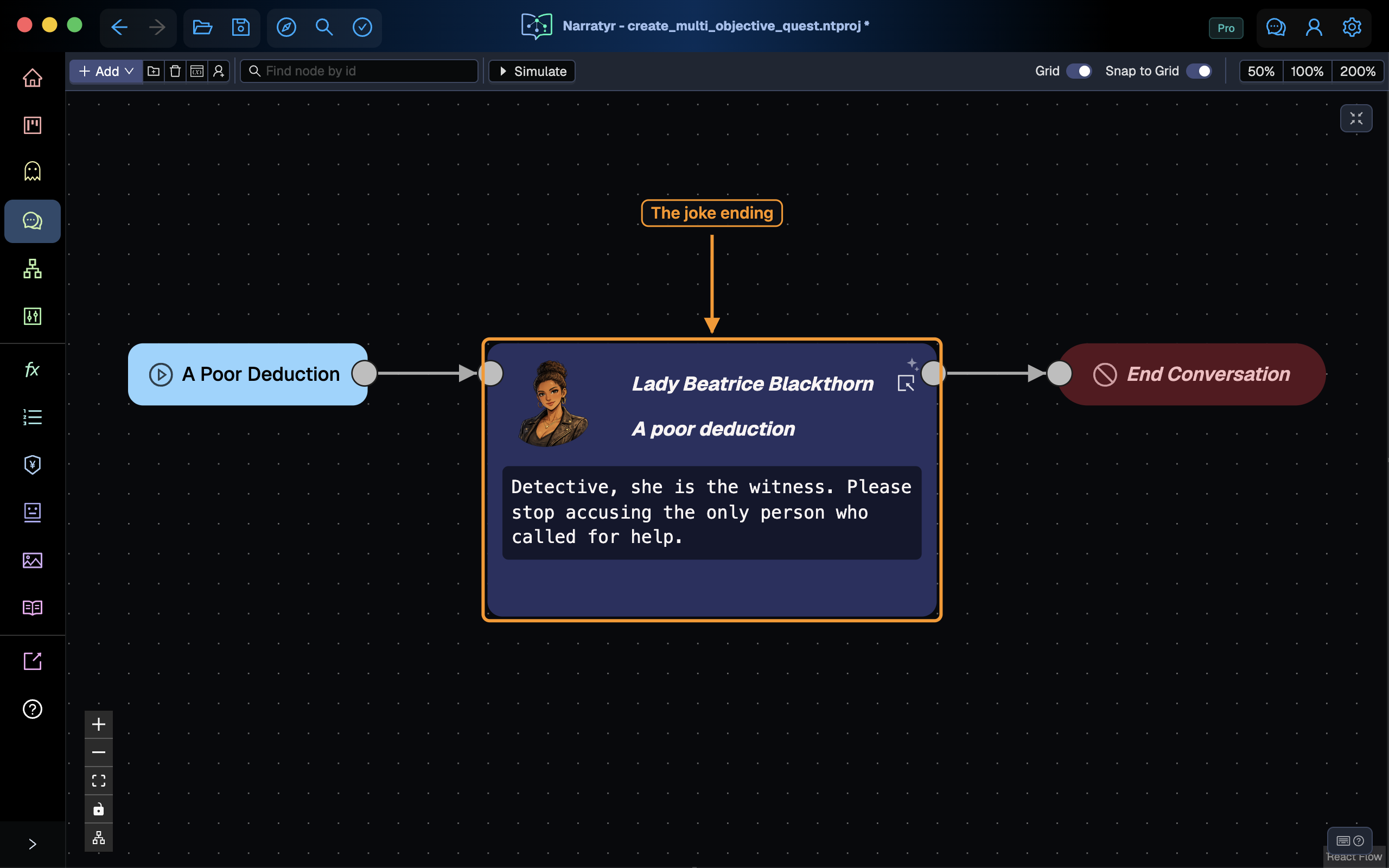
For the Ada output, create a short Dialogue named WitnessReprimand. Start it from the Ada
branch and add this line:
Lady Beatrice
Detective, Ada is the witness. Stop accusing the person who called for help.
End the dialogue and connect its branch to a Complete Quest node with Failure status. Both suspect branches succeed, while the witness accusation fails after the reprimand.
Arrange the completed graph
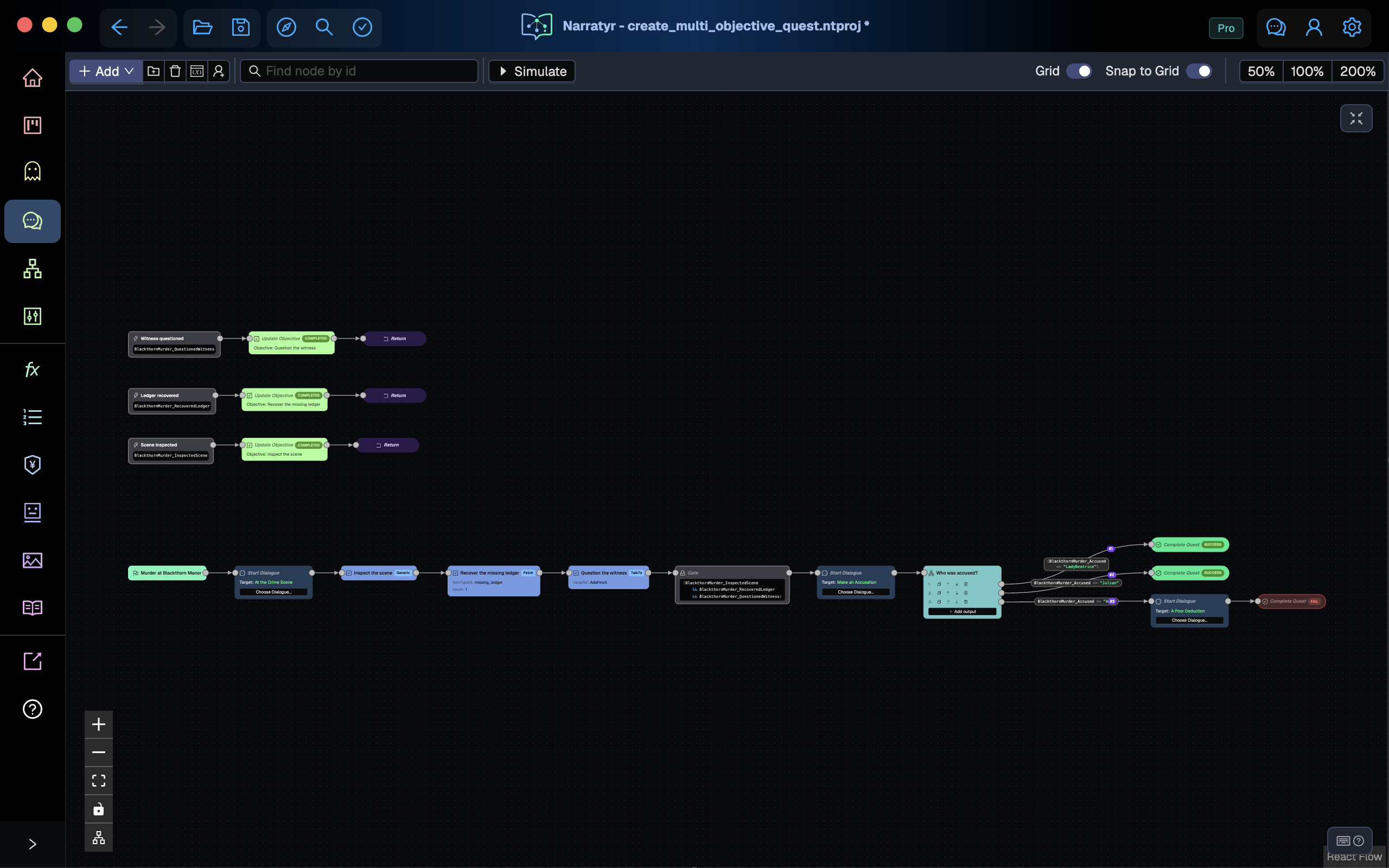
Use Auto Arrange on the quest. The main path should run from the objective introductions to the Gate and accusation dialogue. The Hub branches to two Success nodes and one reprimand that ends in Failure. Each Event Listener remains outside the main path and ends with Return.
You can extend this pattern with another objective. Introduce the objective, add a listener that updates it, and add its condition to the final Gate. The listener maintains the objective state, while the Gate defines when the main flow continues.